
How do I start taking tee times online?
Write down what a normal week looks like, decide how far ahead you will let golfers book, put a booking link where people already look for you, and keep taking calls exactly as you do now — online booking works best as a second front door, not a replacement for the first.
The short version
- The setup is your seasons and hours written down once, not a project.
- Two weeks ahead is a fine place to start; you can widen it later.
- Keep answering the phone. Call-ins should land on the same sheet.
- Hold a spot or two per time back for the phone if the counter is nervous.
- 1
Decide how far ahead you will sell
Seven days is conservative, fourteen is common, thirty suits outings and travelling golfers. Start narrower than you think — widening it later is one setting.
- 2
Write down a normal week
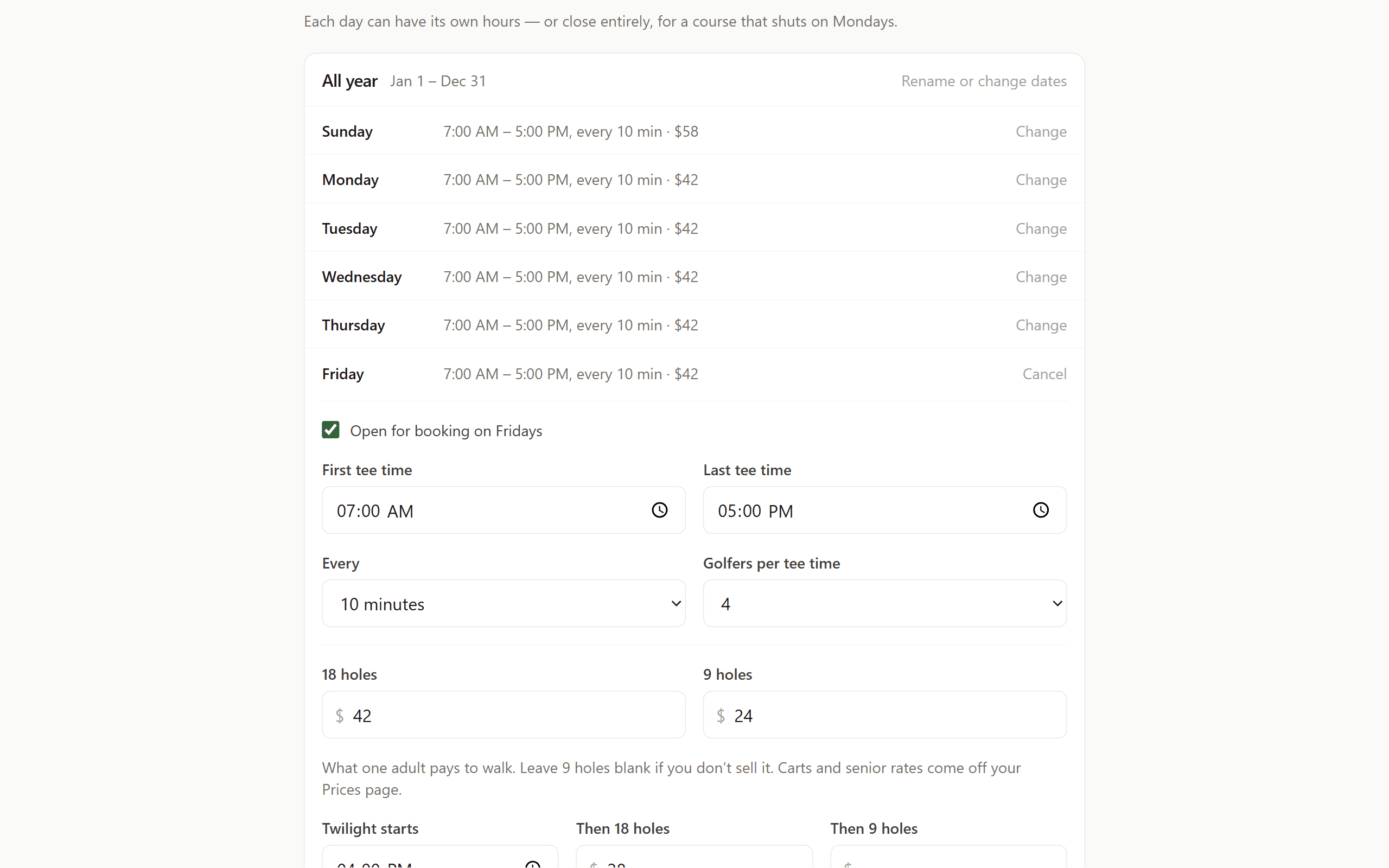
First tee, last tee, minutes apart, golfers a time, and whether weekends differ. Then which months it applies to and which days you are closed.
- 3
Put the link where people already look
Your existing website, your Google Business Profile, and your Facebook page — which for a lot of courses is where more people actually look.
- 4
Keep the phone exactly as it is
Regulars will keep calling for years. The call has to land on the same sheet, or you have two sheets and a double-booking waiting to happen.
- 5
Watch the first week, then leave it alone
You are checking one thing: does what the screen says match who walks in? Once that has held for a week, stop checking.
Steps one and two are decisions; three through five are the rollout. Nothing here requires you to build a tee sheet yourself.
Step one — decide how far ahead you will sell
This is the only decision that is genuinely yours and it is easy to change later. Seven days is conservative, fourteen is common, thirty suits a course with outings and travelling golfers. Selling further ahead fills more times and gives you more cancellations to manage; selling closer in gives you less of both.
Start narrower than you think. Widening it later is one setting and the tee sheet extends itself.
Step two — write down a normal week
First tee, last tee, how many minutes apart, how many golfers a time, and whether weekends differ from weekdays. Then which months that week applies to, and which days you are closed.
That is the entire configuration, and with Putted you do not do it — send it over and we set it up for you before you go live. A course that has to build its own tee sheet before it can evaluate the software usually never evaluates the software.
Step three — put the link where people already look
Golfers will not learn a new address. Put the booking link on your existing website — a button in the header and a block on the front page — on your Google Business Profile, and on your Facebook page, which for a lot of courses is where more people actually look than the website.
If your site can take a line of code, the booking flow can sit inside the page itself so nobody leaves your site to book.
Step four — keep the phone exactly as it is
The mistake is treating online booking as a replacement. Your regulars will keep calling for years and that is fine — but the call has to land on the same sheet, or you now have two sheets and a double-booking waiting to happen.
If the counter is nervous about losing control of the sheet, hold a spot or two per tee time back from the website. The shop can still book them; the website cannot. That usually settles the argument in a week, once everyone can see the sheet is not filling up with strangers.
Step five — watch the first week, then leave it alone
Check the sheet each morning for a week. You are looking for one thing: does what the screen says match what walks in? Once that has held for a week, stop checking and let it run.
The reminder emails do more work than anything else in month one. Fewer groups forget, and the ones that cannot make it cancel themselves instead of not showing up.
Put your tee times online without giving any away
Free setup, a free first month and no card to start. Tell us your hours and we will build your tee sheet before you decide anything.